

Asking CROs for proposals
For sponsors: write a request, put it on the board or send it to CROs you choose, invite from the shortlist, answer questions, compare proposals and award.
A request for proposals is how a sponsor finds a CRO on the portal. If you already have your CRO, skip this and place the study directly.
How a request works
A request has two layers.
- The summary — title, one line, family, kind of study, test system, GLP, region, the dates, and what decides it. If you put the request on the board, every CRO on the portal can read this. Your name is not on it.
- The brief — the study's purpose, design, test article, deliverables,
attachments and how to answer. It is confidential. A CRO reads it only when
all three are true:
- you have invited that CRO
- VSQRD has approved the CRO
- the CRO has a confidentiality agreement with you
1. Draft the request
Go to Requests and click New request. You get a draft called Untitled request. Only you see it; no CRO does.
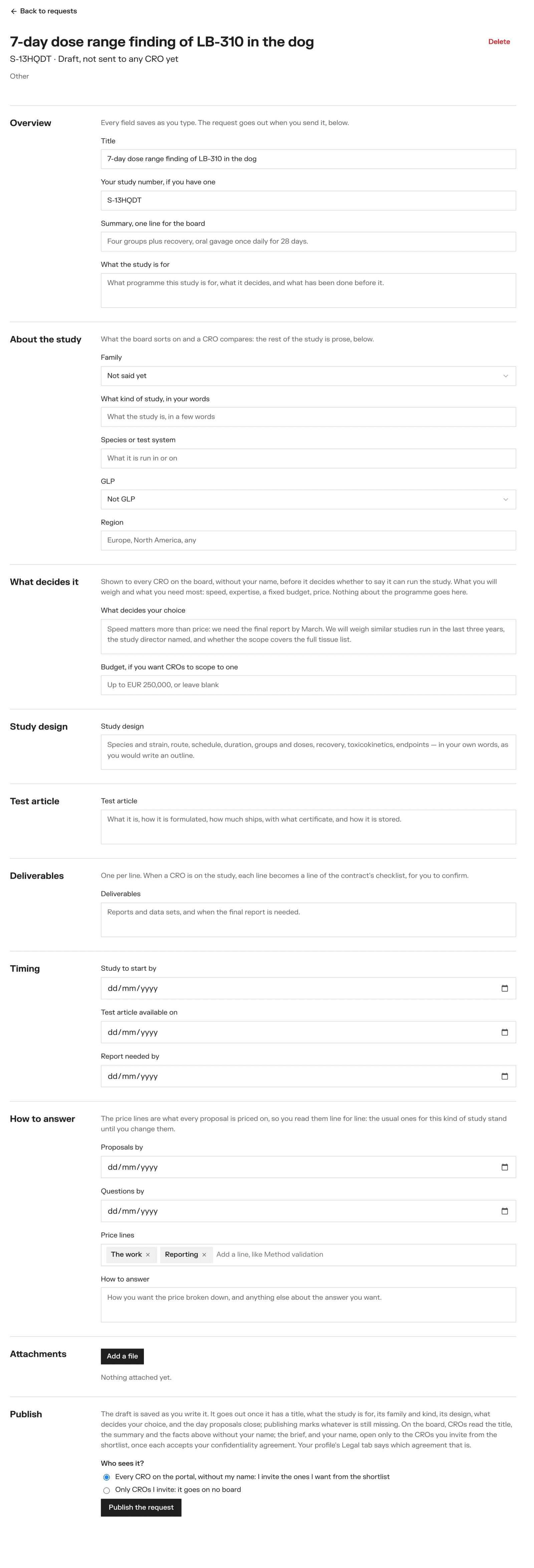
Every field saves as you type. The sections are:
- Overview — title, your study number, a one-line summary for the board, and what the study is for
- About the study — family, kind of study, species or test system, GLP, region
- What decides it — what you will weigh (speed, a named expert, price…), and a budget if you want CROs to scope to one. CROs read this on the board and again as they write their proposal.
- Study design and Test article
- Deliverables — one per line. When a CRO is on the study, each line becomes a line of the deliverables checklist.
- Timing — when the study should start, when the test article is available, when you need the report
- How to answer — the proposals-by and questions-by dates, the price lines, and any instructions
- Attachments — Add a file: PDF, image, Word or Excel, up to 20 MB
Price lines are the headings every CRO prices under, so proposals compare line for line. The portal fills in the usual ones for the family you chose — for toxicology: In-life, Clinical pathology, Histopathology, Toxicokinetics and bioanalysis, Formulation analysis, Reporting, QA and archiving. Change them as you like, up to 12.
Members can write the draft. An owner publishes it.
2. Publish it
At the bottom of the draft, an owner chooses Who sees it?
- Every CRO on the portal, without my name — the request goes on the board. CROs that can run it say so, and you invite from that shortlist.
- Only CROs I invite — it goes on no board. Name the first CRO to invite.
Then Publish the request.
The portal will not publish a request with something important missing. It needs a title, what the study is for, the family and kind of study, the test system (for toxicology and pharmacology), the design, what decides it, and a proposals-by date that is today or later. Every missing field is marked at once.
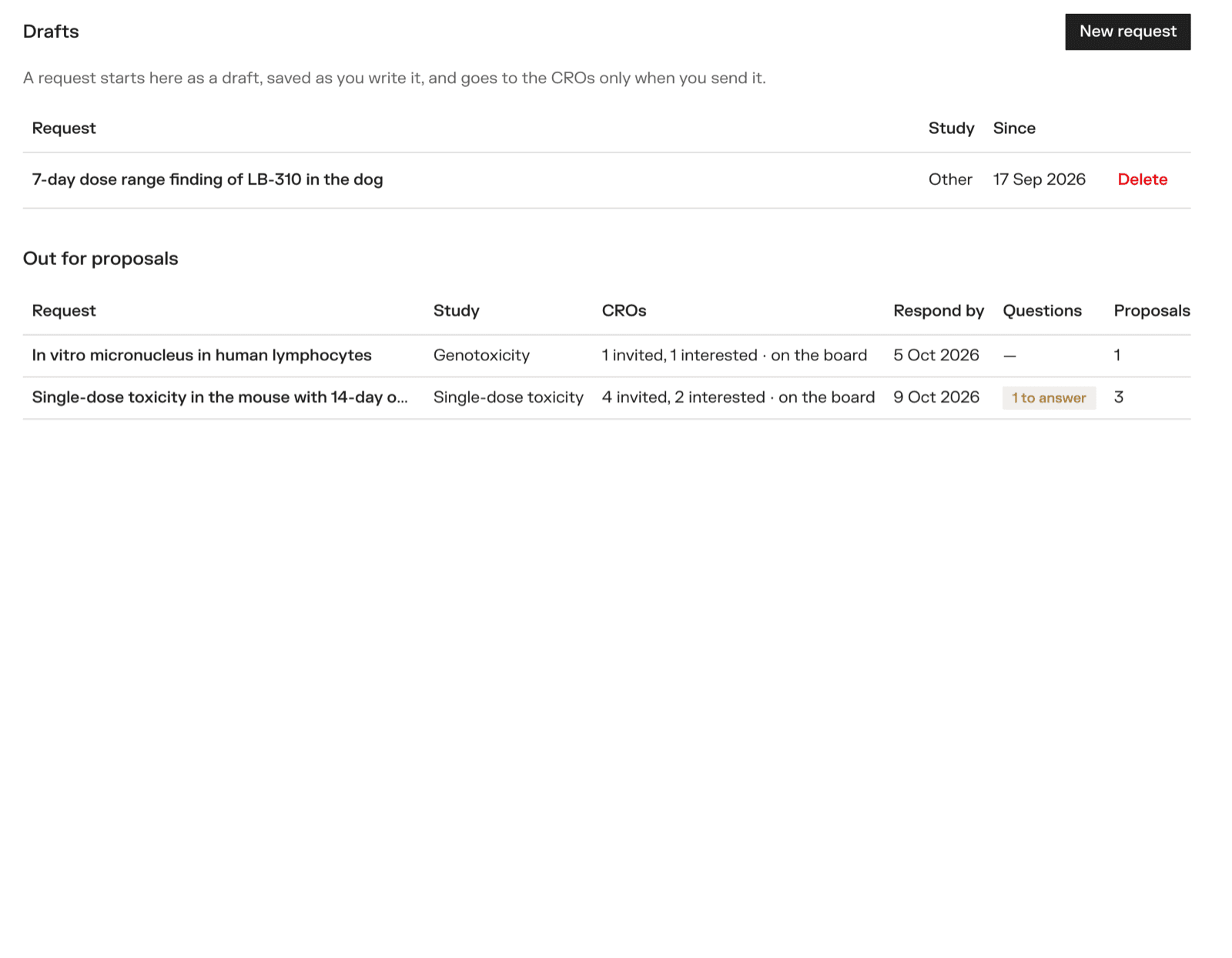
Your published requests are under Out for proposals on the Requests page.
3. Invite from the shortlist
When a CRO reading the board clicks We can run this study, it goes on your shortlist and you are emailed.
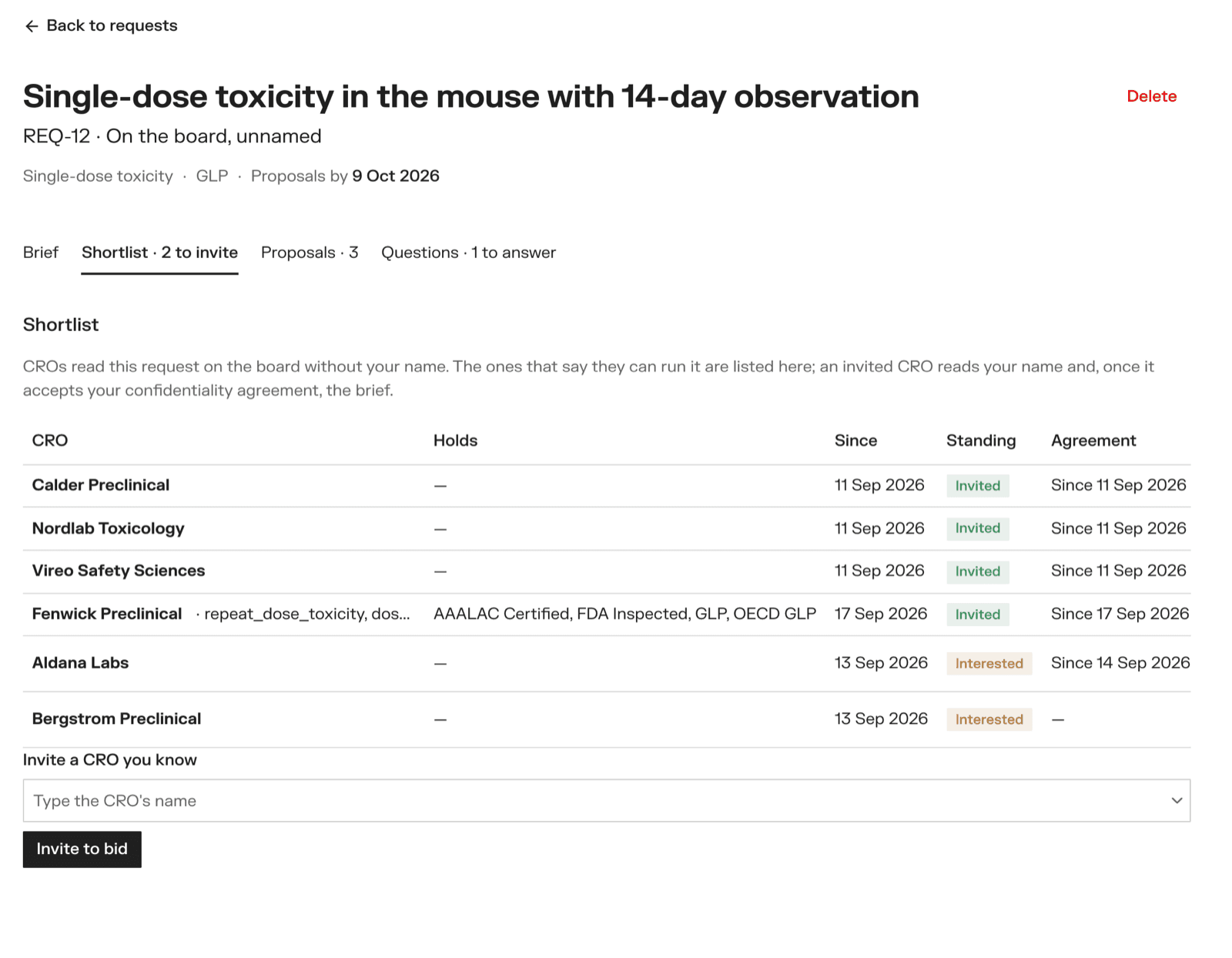
The Shortlist tab shows each CRO with what it holds, how long it has been running studies, whether it is interested or invited, and whether you already have an agreement with it. Click a row to read the CRO's page.
An owner clicks Invite to bid on the CROs you want proposals from. To invite a CRO that has not raised its hand, type its name under Invite a CRO you know.
The invited CRO is emailed, sees your name from then on, and — once there is an agreement between you — reads the brief.
4. Answer questions
A CRO that can read the brief may ask about it, until the questions-by date or until you award. You are emailed each question.
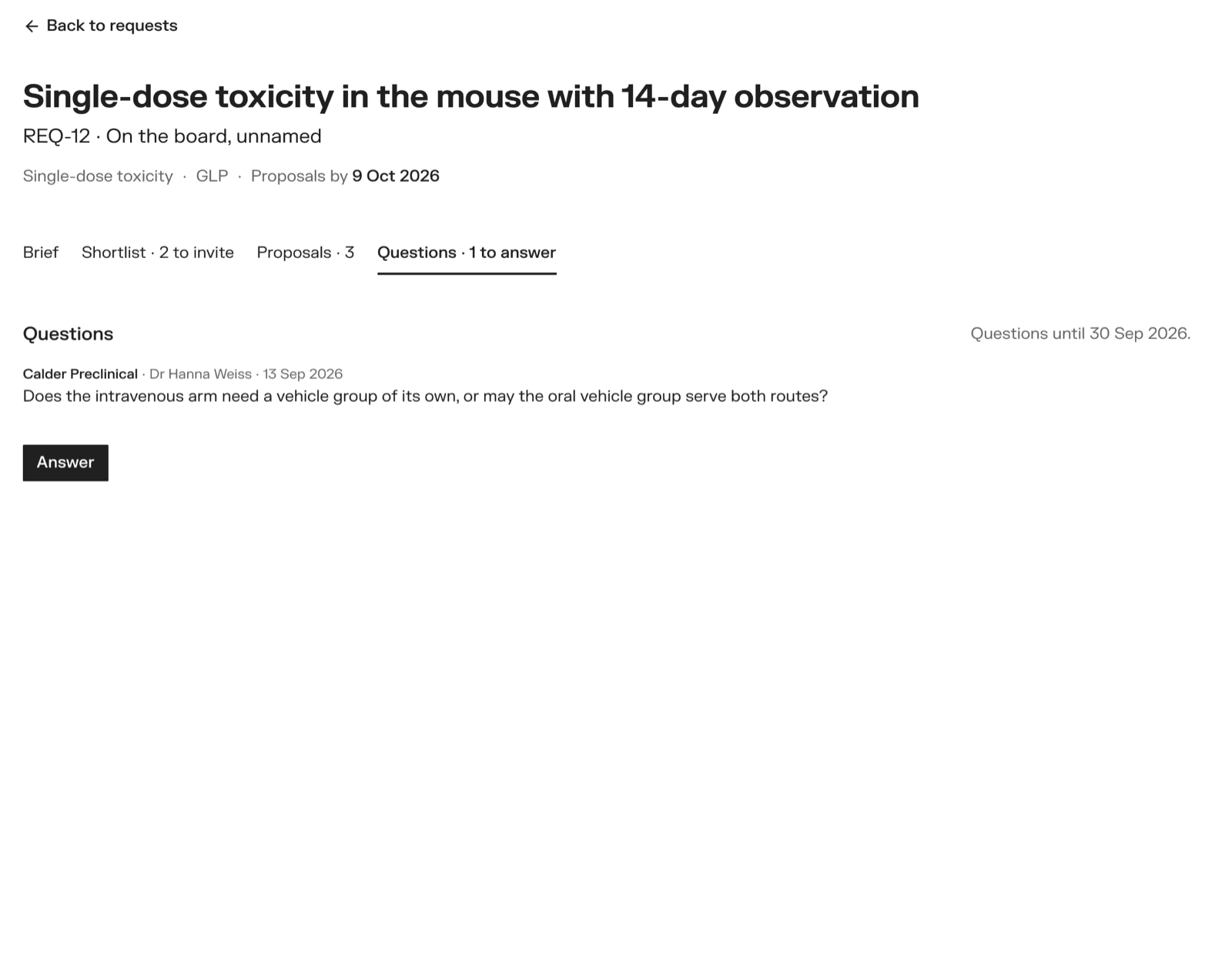
On the Questions tab you see who asked. Click Answer, write it, and Send the answer.
Your answer goes to every invited CRO that holds your agreement, with the asker's name left off. So nobody prices on something the others do not know.
If the answer changes what you are asking for, tick This answer changes the brief. It is marked Changes the brief, and shown above every proposal still being written.
Questions and answers cannot be edited once sent.
5. Compare proposals
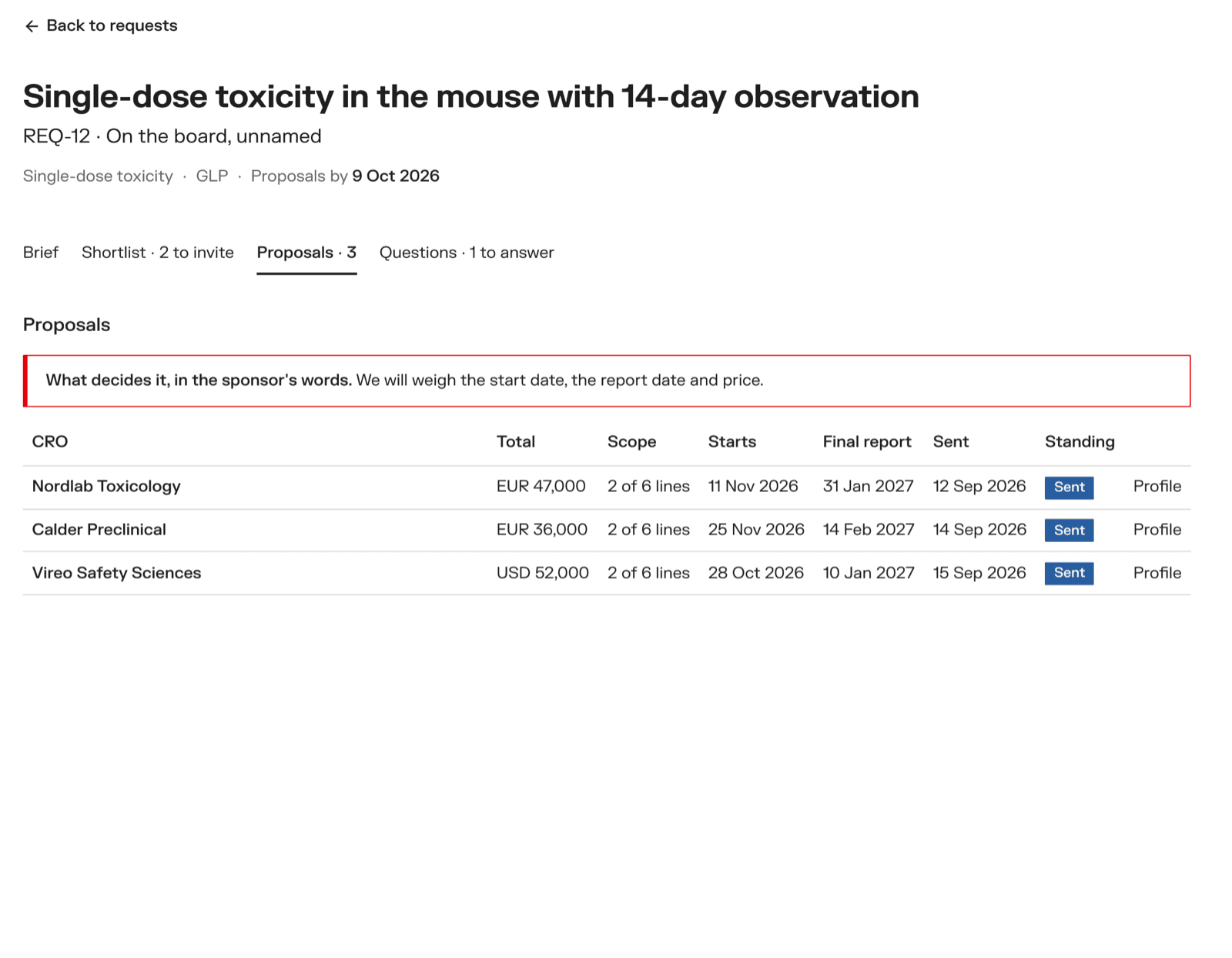
The Proposals tab lists each proposal with its total, its scope — "All 6 lines" or "4 of 6 lines", so a cheap proposal that left work out reads as such — the start and final report dates, and when it was sent. Your What decides it sits above the table. Nothing is sorted by price.
Click a proposal to read it in full: the design changes the CRO proposes, the price per line with what each covers, options, exclusions, assumptions, timeline, team and payment terms.
6. Award
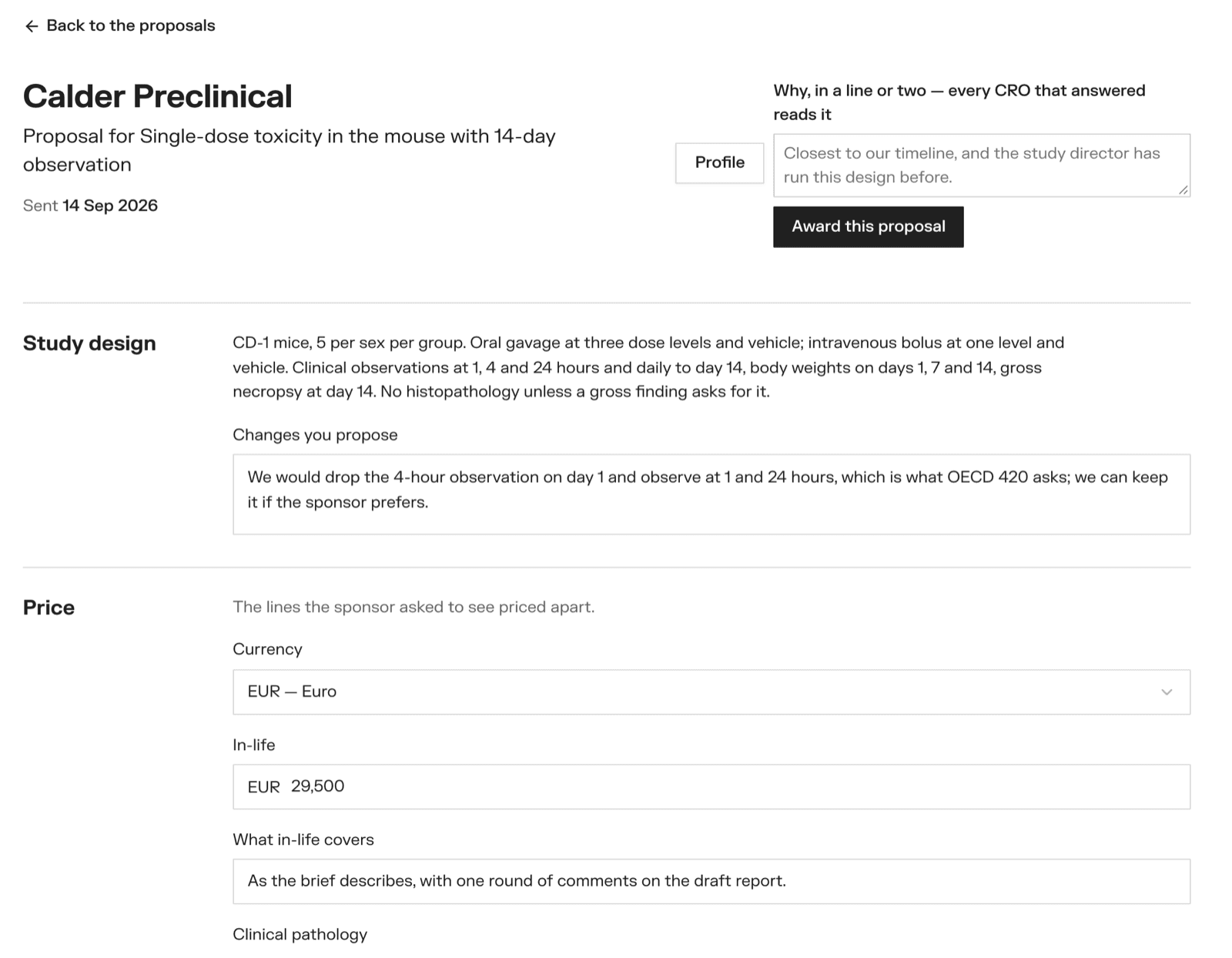
On the proposal you choose, an owner writes why, in a line or two, and clicks Award this proposal.
What happens:
- The CRO is put on the study, and the study opens under Study management.
- The proposal's dates become the study's first milestones.
- Every other CRO that sent a proposal is emailed that you chose another CRO, with your reason.
- The request takes no more proposals or questions.
From here, see Running a study.
Deleting a request
An owner can delete a draft or a request that has no CRO on it yet — Delete at the top of the request. Once a CRO is on the study, it stays on the record.