

Confidentiality agreements
How a sponsor and a CRO agree on confidentiality before the brief opens: the portal's standard NDA, the sponsor's own, or one signed outside the portal.
A brief is confidential. Before a CRO reads one, it needs a confidentiality agreement (CDA) with the sponsor.
One agreement per sponsor and CRO
The agreement is between the two organisations, not about one study.
- It is made once per sponsor–CRO pair.
- Every later request from that sponsor opens on it.
- It lasts two years, then is made again.
Both sides find their agreements on Profile → Legal.
The sponsor chooses how
On Profile → Legal → Your agreement, a sponsor's owner picks one of three ways.
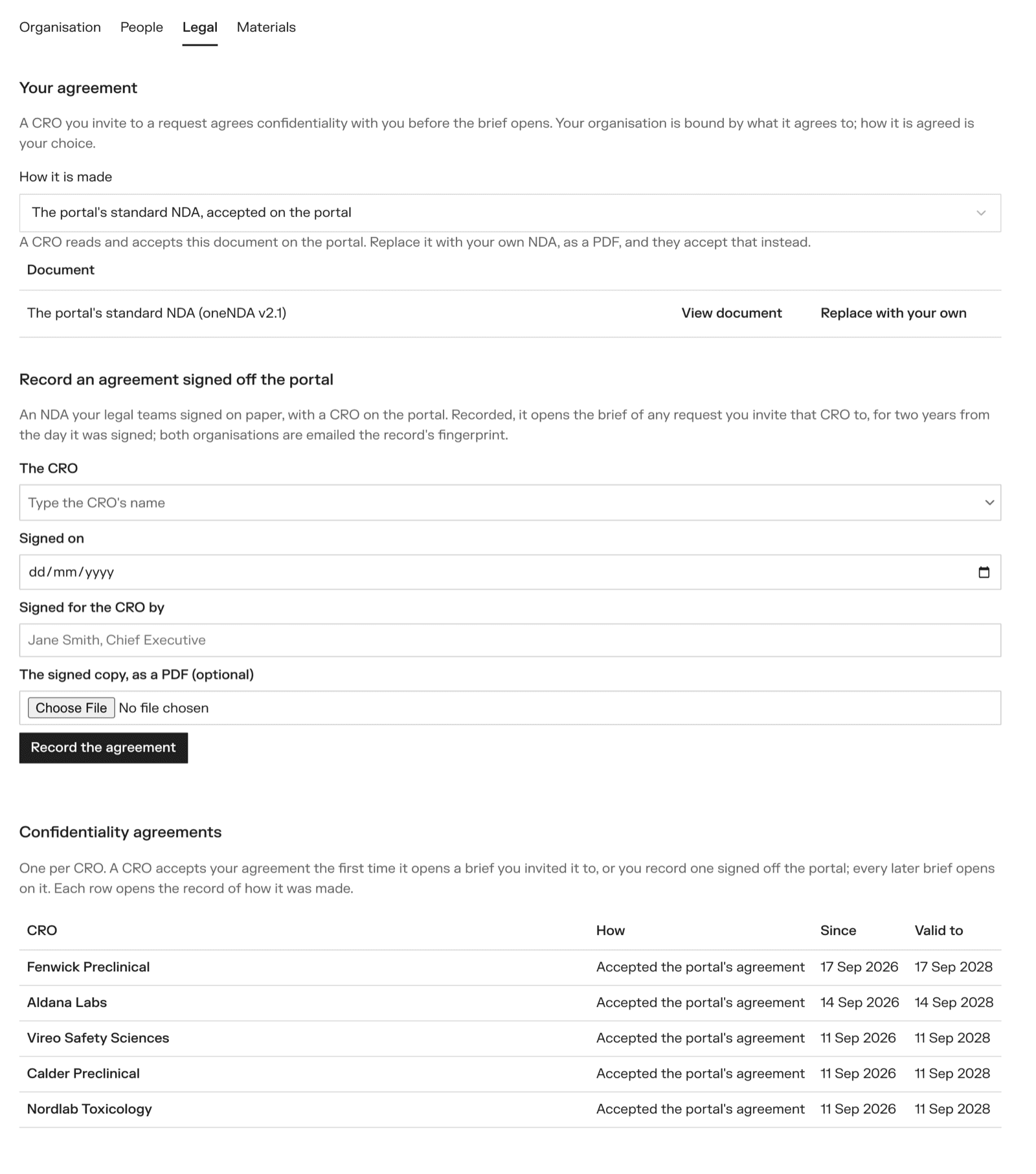
- The portal's standard NDA, accepted on the portal. The portal's standard mutual NDA, based on oneNDA v2.1. This is the default.
- Our own NDA, put up here and accepted on the portal. Upload your NDA as a PDF. CROs read and accept your document, under a short cover the portal adds (how it is signed here, and that VSQRD is not a party). Upload a new version with Replace; old versions are kept, because an agreement already accepted points at the version it accepted. Remove goes back to the standard NDA.
- We sign NDAs off the portal, and record them here. Your legal team signs with the CRO the usual way, and you record the signed agreement on the portal.
Accepting on the portal (ways 1 and 2)
The first time an invited CRO opens one of the sponsor's requests, it sees the agreement where the brief would be.
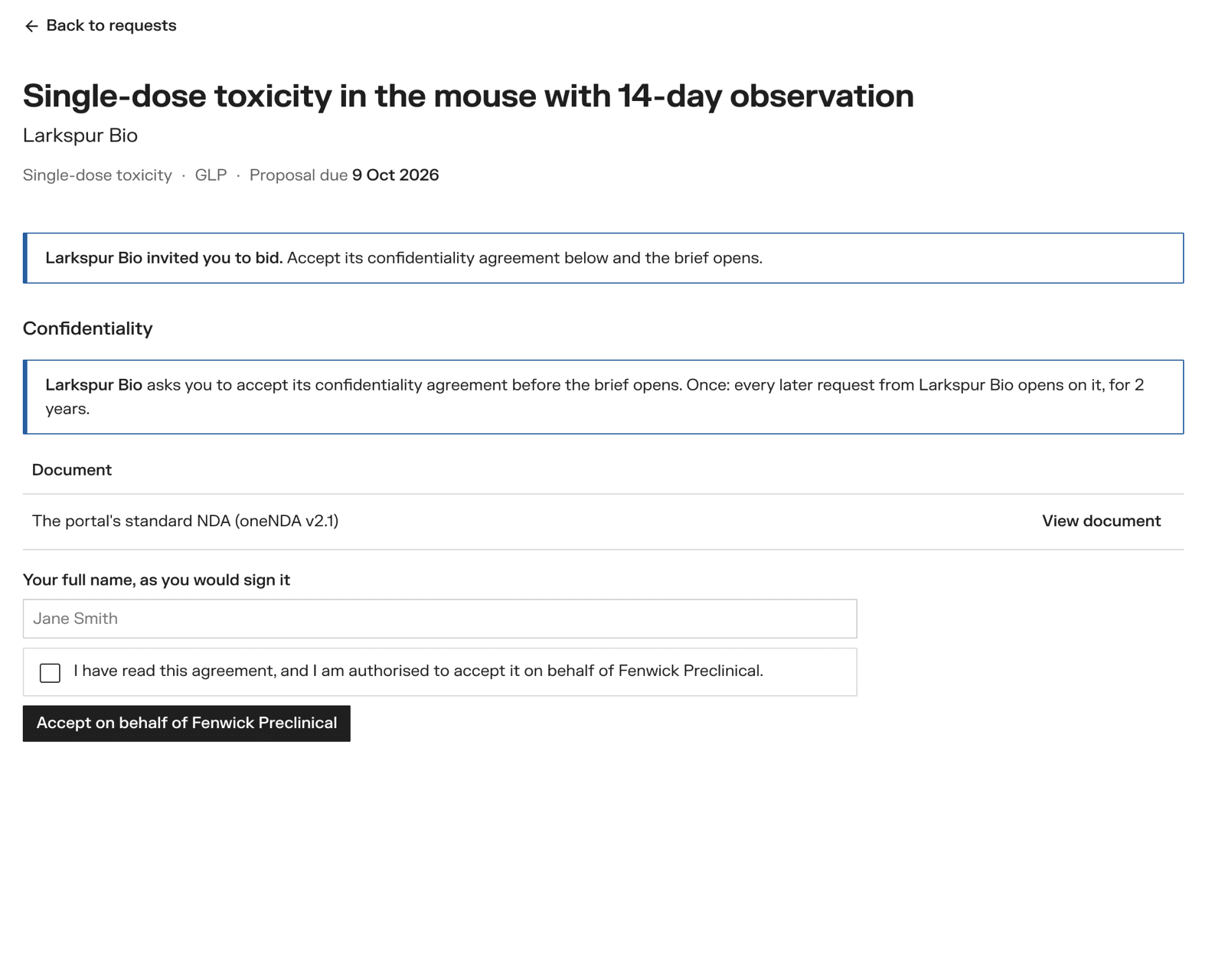
An owner of the CRO:
- reads the document with View document
- types their full name, as they would sign it
- ticks I have read this agreement, and I am authorised to accept it on behalf of the organisation
- clicks Accept on behalf of the organisation
The brief opens at once.
Recording an agreement signed outside the portal (way 3)
The invited CRO is told that the sponsor signs its agreements off the portal, and that the sponsor's people will be in touch.
When it is signed, the sponsor's owner goes to Profile → Legal → Record an agreement signed off the portal and fills in:
- The CRO
- Signed on — the date
- Signed for the CRO by
- The signed copy, as a PDF — optional
Then Record the agreement. The brief opens to that CRO.
The record
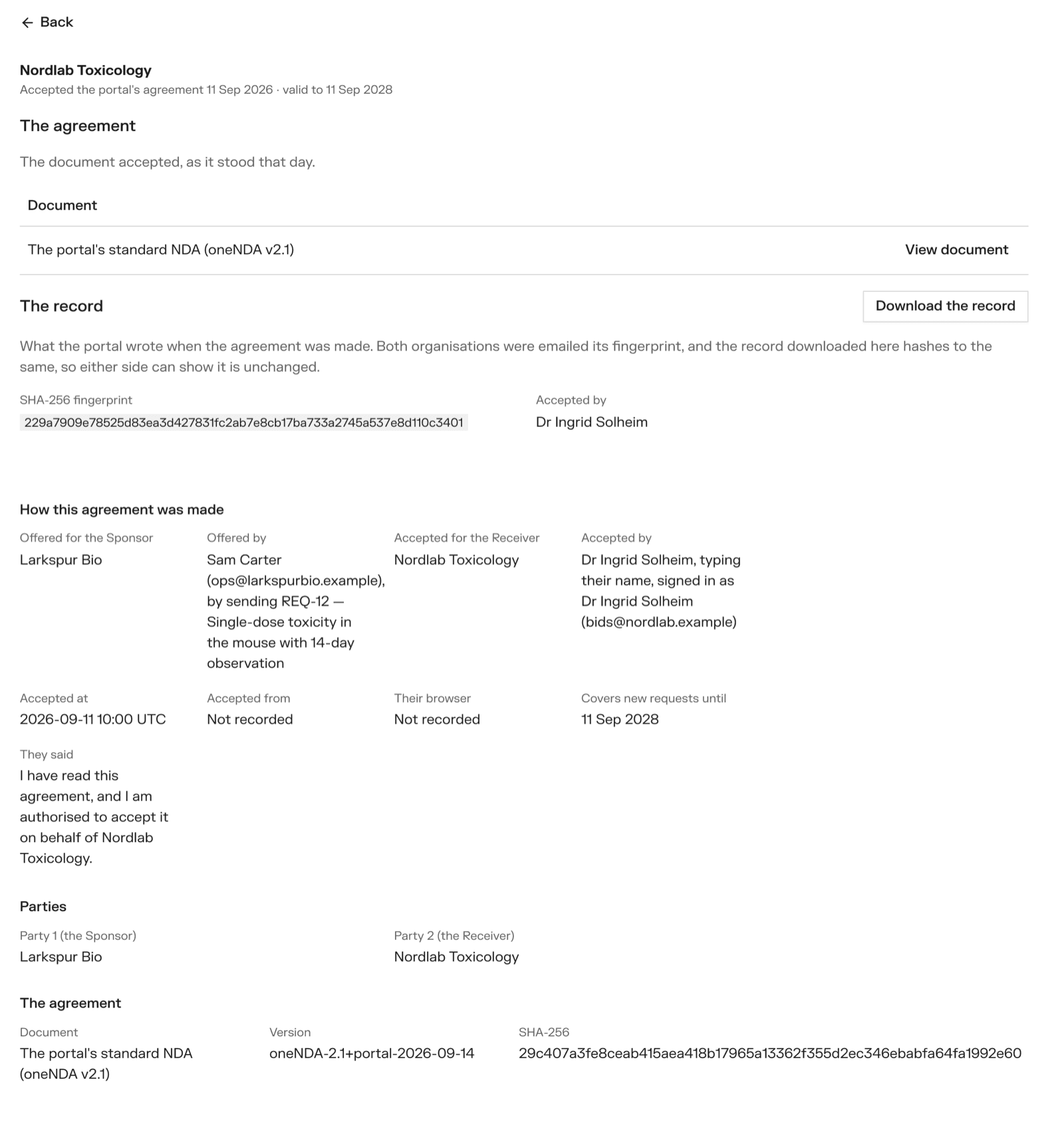
Each agreement has its own page, open to the two organisations and nobody else. It shows the document, who accepted it and when, and a SHA-256 fingerprint — a short code that changes if even one character of the record changes. Download the record gives you the file that fingerprint belongs to.
Both organisations are emailed when an agreement is accepted or recorded.
An agreement accepted on the portal is a simple electronic signature. That is what a CDA needs: it is a business contract, not a GxP record. VSQRD is not a party to it.