

The contract and deliverables
What the sponsor writes down before the study, how the CRO registers animals against it, and how files are uploaded, checked, accepted or sent back.
The contract
The contract says what the study will deliver. The sponsor writes it; the CRO reads it and works to it. Open it with Contract on the study page.
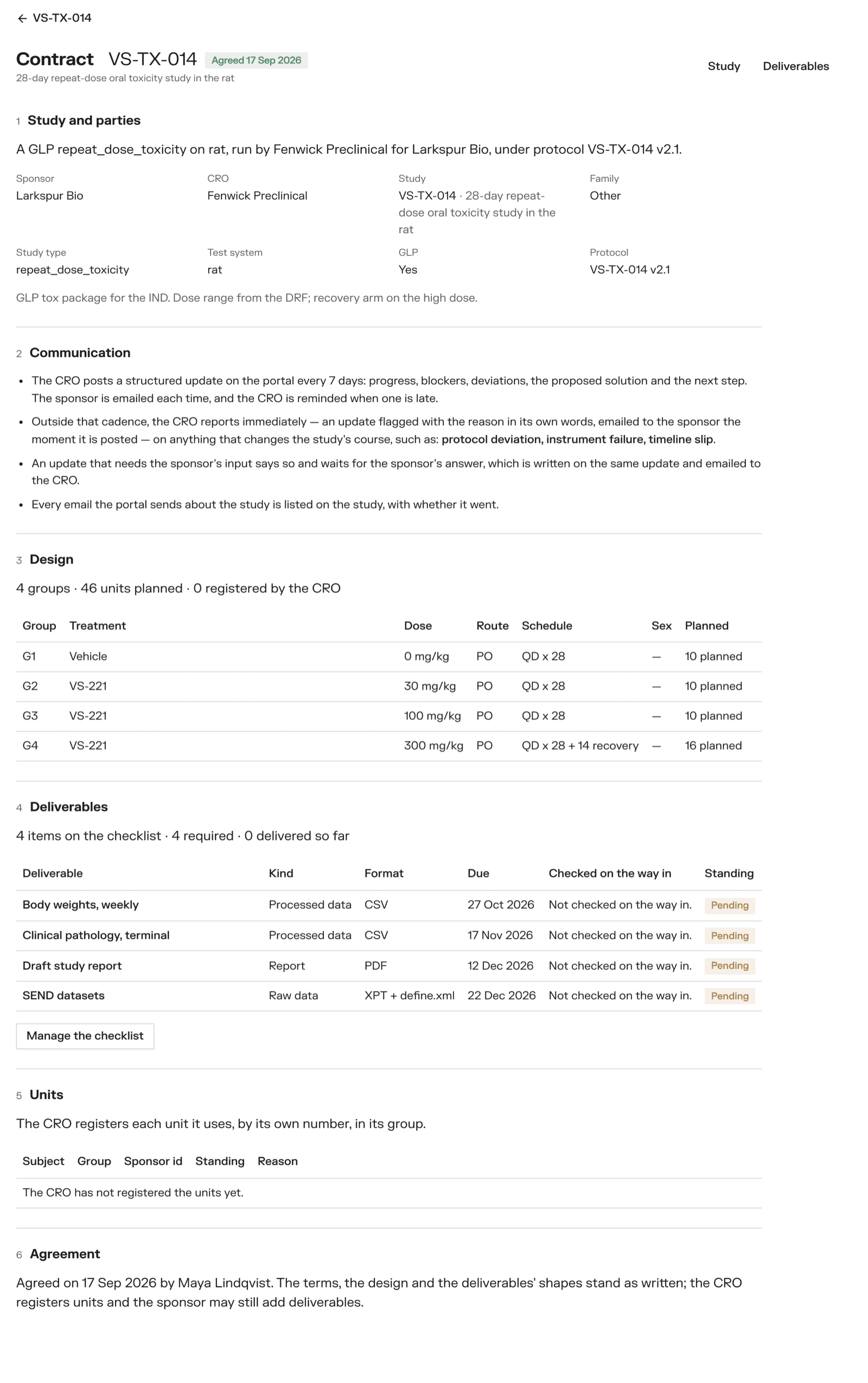
It reads as six numbered sections.
- Study and parties — the family, kind of study, species, protocol version, whether it is GLP, and how often the CRO updates. Change them with Edit terms.
- Communication — the rules in plain words: how often an update comes, what is reported at once, and that an update asking for input waits for an answer.
- Design — one row per group: treatment, dose, route, schedule, planned number, sex. Add a group to add one.
- Deliverables — the checklist of what comes back (below).
- Animals — the animals the CRO has registered (below).
- Agreement — freezing the contract.
The words follow the kind of study. A toxicology study has groups of animals; a bioanalytical method has batches of samples; a device test has test groups of test articles.
Some of it is filled in for you. When a CRO joins, each line of the request's deliverables becomes a line of the checklist, and an update every 7 days is set. Check and change them.
Reusing a contract. Copy that study's contract copies the terms, design and checklist from another of your studies.
Freezing
When both sides are happy, the sponsor clicks Freeze the contract. The terms, the groups and the file shapes are then locked, and the CRO is emailed that the contract is agreed. You can still add deliverables afterwards.
Registering animals (CRO)
The CRO registers each animal it uses against its group, by its own ID, with Register. An animal taken off the study is Removed with the date and why. The sponsor can give each animal its own blinded ID with Sponsor id; the CRO never sees it.
Deliverables
Deliverables on the study page opens the checklist.
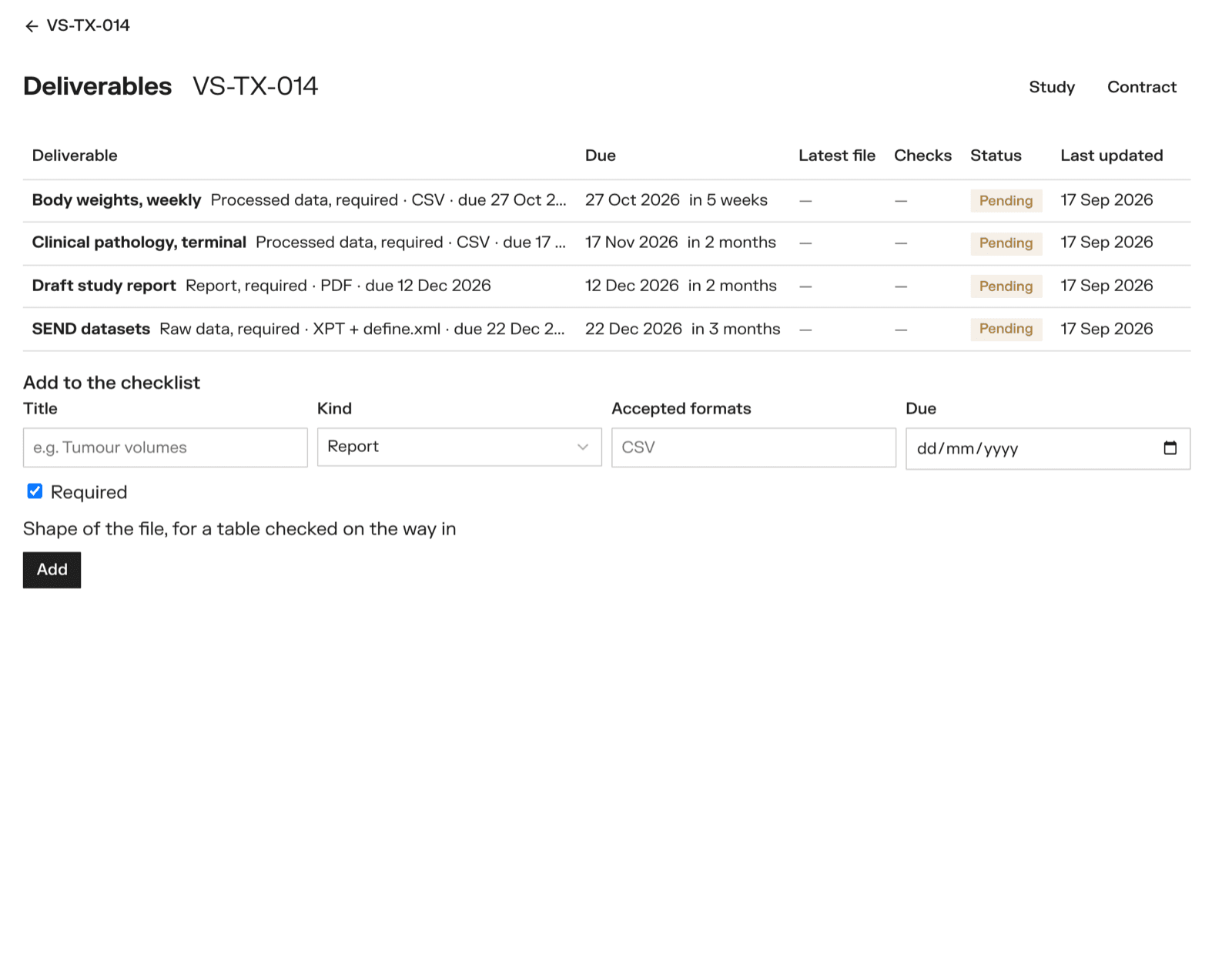
Each line shows when it is due, the latest file, whether it passed its checks, and its status:
| Status | Meaning |
|---|---|
| Pending | Nothing delivered yet |
| Delivered | A file is in and waiting for the sponsor |
| Accepted | The sponsor accepted it |
| Not available | The CRO says there is no file to give |
| Proprietary | The CRO keeps it and does not share it |
The sponsor adds a line under Add to the checklist: a title, the kind (report, processed data, raw data, metadata, other), accepted formats, a due date, and whether it is Required.
Uploading (CRO)
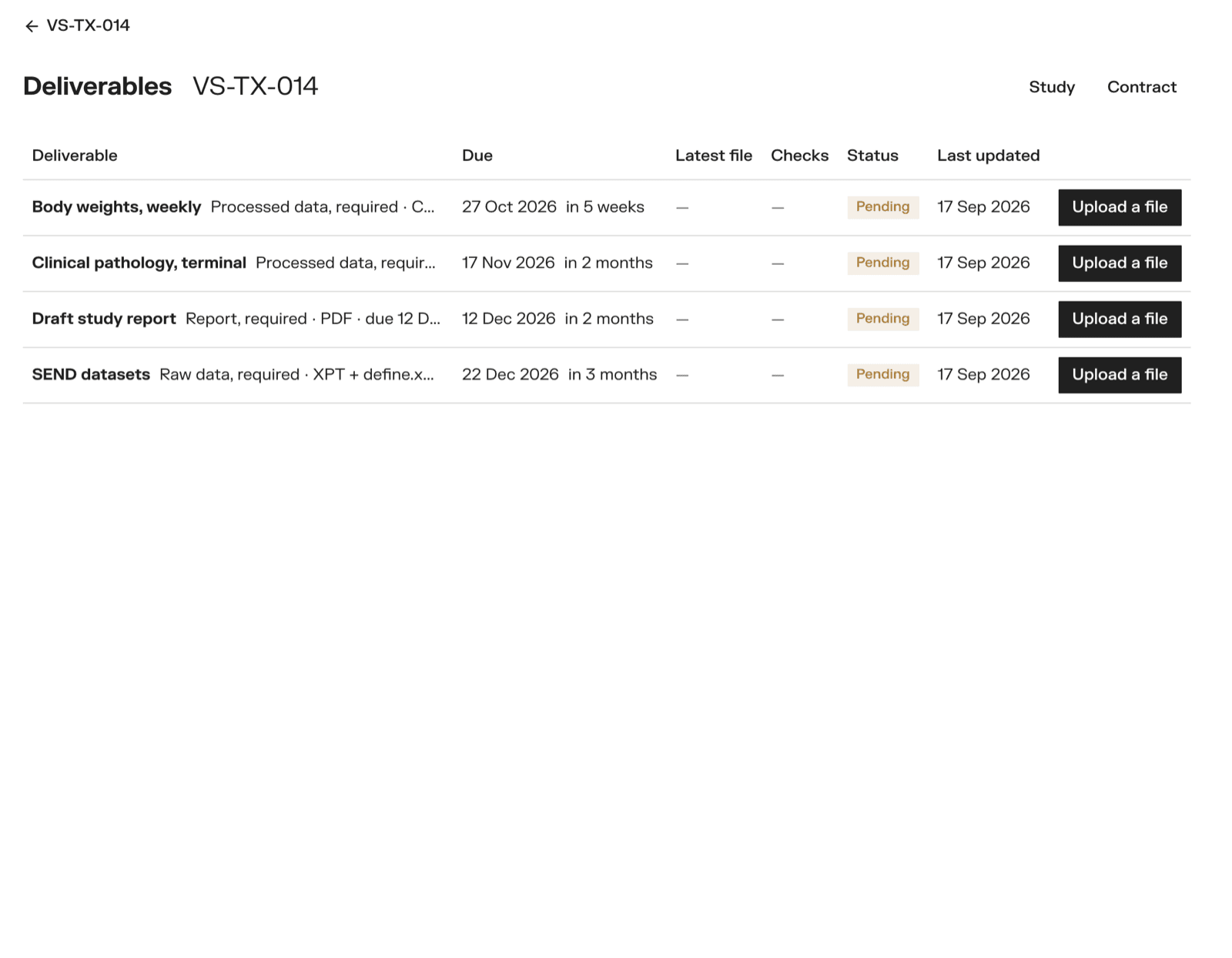
Click Upload a file on the line. The file goes straight from your browser to storage, with a progress bar. Large files are fine.
If there is nothing to deliver, open the deliverable and use No file to give? to set it to Not available or Proprietary.
Every upload is a new version. Nothing is overwritten.
Checks on the way in
A deliverable can have a shape: a short description of the table its file must be. The sponsor sets it on the deliverable's page, before the contract is frozen.
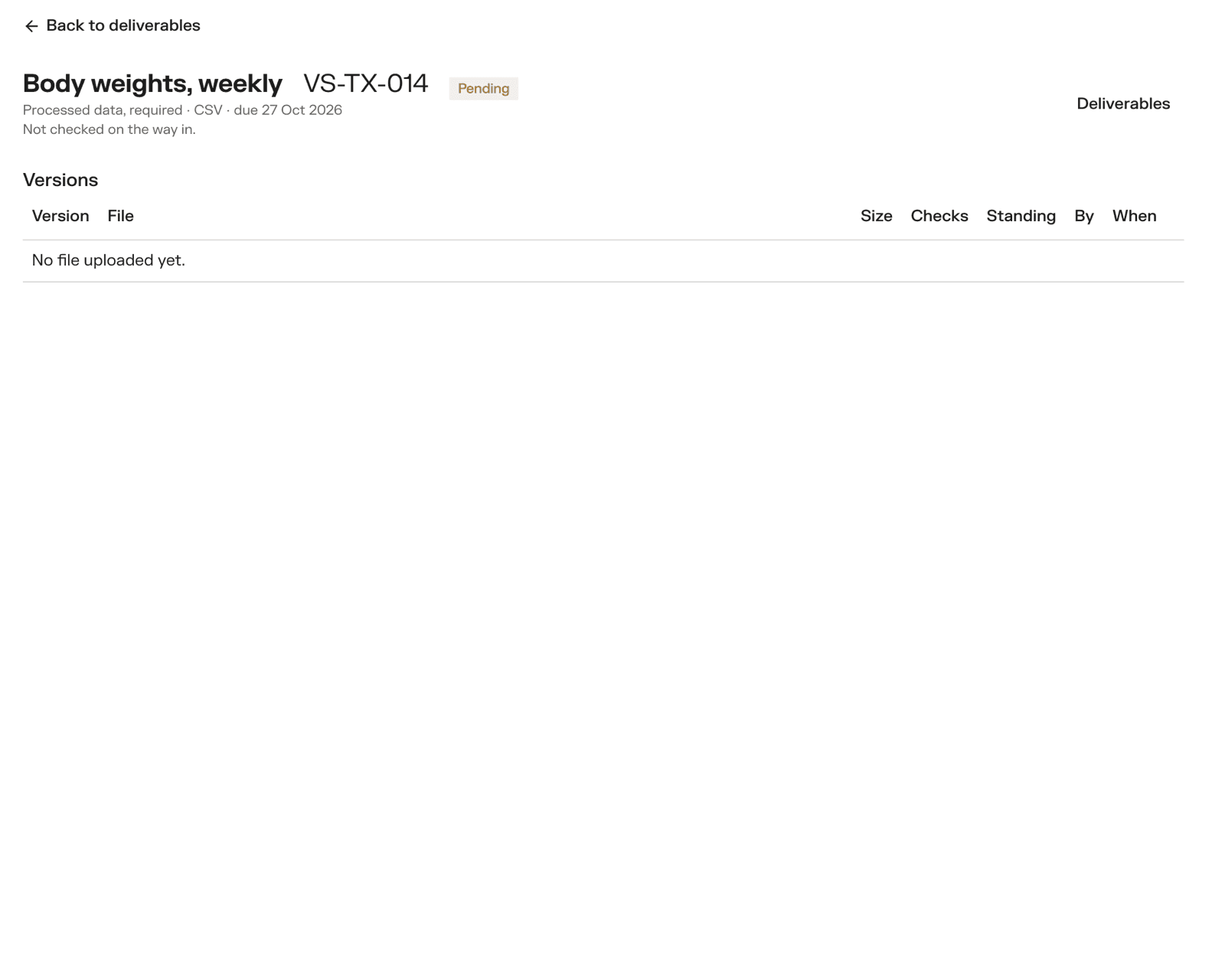
Which checks run depends on what the shape fills in:
| Filled in | Check |
|---|---|
| Columns | Every named column is in the file |
| Animal column | Every animal in the file is registered on the study |
| Group and timepoint columns | Each group has one row per animal still on study, at each timepoint |
| Control | The control group's values are within the range |
Checks run on CSV files. A deliverable with no shape — a PDF report, say — is not read.
- Checks failed — only the CRO sees the file. It reads what was found, fixes the file and uploads again.
- Checks passed, or no shape — the file is Delivered, and the sponsor is emailed.
Accepting or sending back (sponsor)
On a delivered file, click Accept, or write Why it goes back and click Send back. The CRO is emailed either way.
Every download is logged. Who uploaded, accepted and downloaded each version is on the record.