

Placing a study directly
For sponsors who already have their CRO: draft the study, name the CRO, and start it — no request for proposals.
If you have already chosen your CRO, you do not need a request for proposals. Draft the study and start it.
1. Draft the study
Go to Study management and click New study. You get a draft called Untitled study, marked Draft, not started; the CRO does not see it yet.
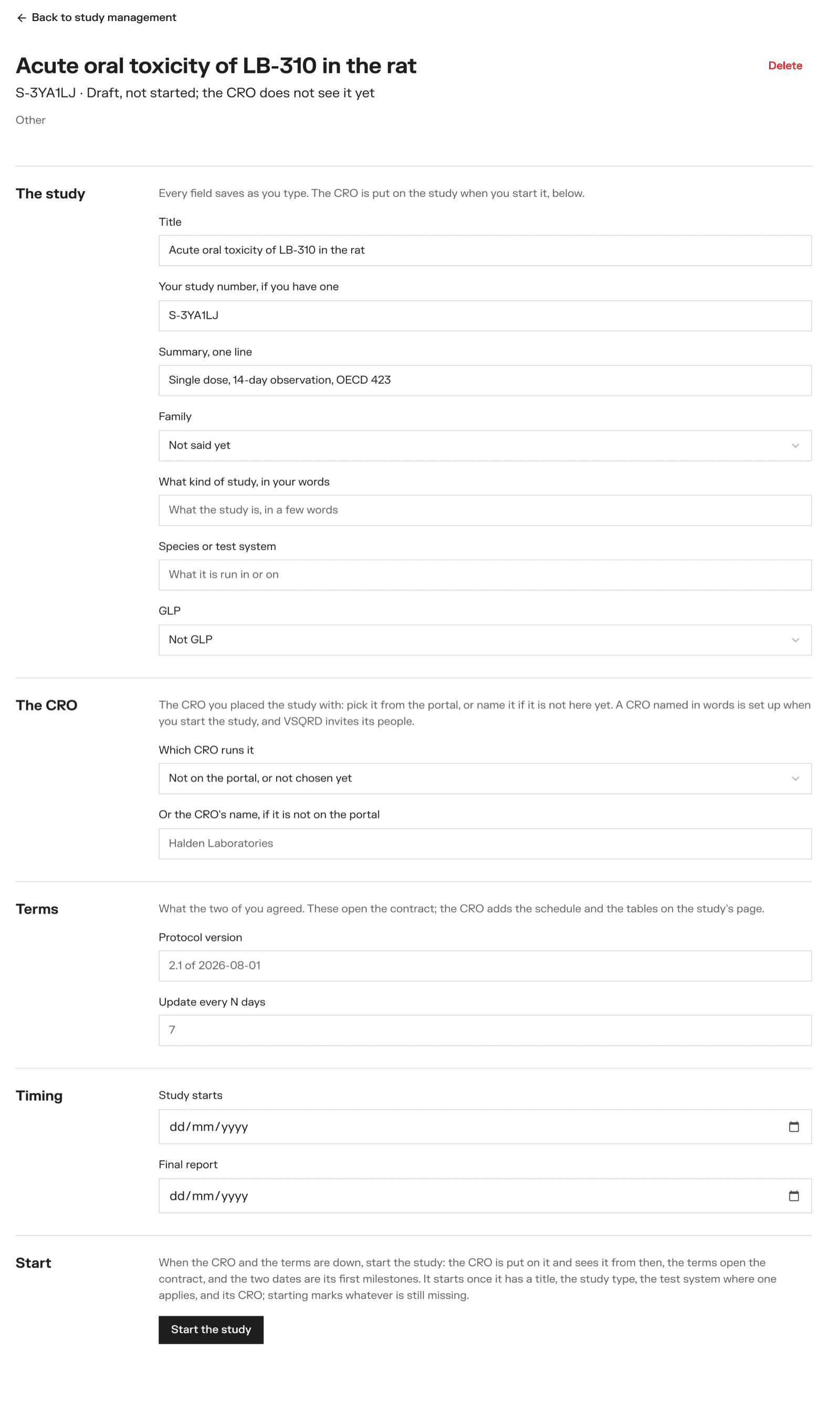
Every field saves as you type.
- The study — title, your study number, a one-line summary, the family, what kind of study it is, the species or test system, and GLP
- The CRO — Which CRO runs it, from the CROs on the portal. If yours is not on the portal, type its name under Or the CRO's name, if it is not on the portal.
- Terms — the protocol version, and how often you want an update (Update every N days)
- Timing — when the study starts, and when the final report is due
Members can write the draft.
2. Start it
An owner clicks Start the study.
It needs a title, the family, the kind of study, the test system (for toxicology and pharmacology), and a CRO. Anything missing is marked.
When the study starts:
- the CRO is put on the study and its people are emailed
- the terms go into the contract
- Study starts and Final report become the first milestones
If the CRO is not on the portal yet, the portal sets it up under the name you typed and tells VSQRD, and we invite its people.
Deleting a draft
An owner can delete a draft with Delete at the top. A study with a CRO on it is never deleted.
Asking CROs for proposals
For sponsors: write a request, put it on the board or send it to CROs you choose, invite from the shortlist, answer questions, compare proposals and award.
Answering a request
For CROs: read the board, say you can run a study, accept the sponsor's agreement, ask questions, and send a proposal.