

Running a study
The study page, the timeline and milestones, structured updates, answering an update, and marking a study delivered.
Once a CRO is on a study — by an award or by starting it directly — the study lives under Study management.
The study list
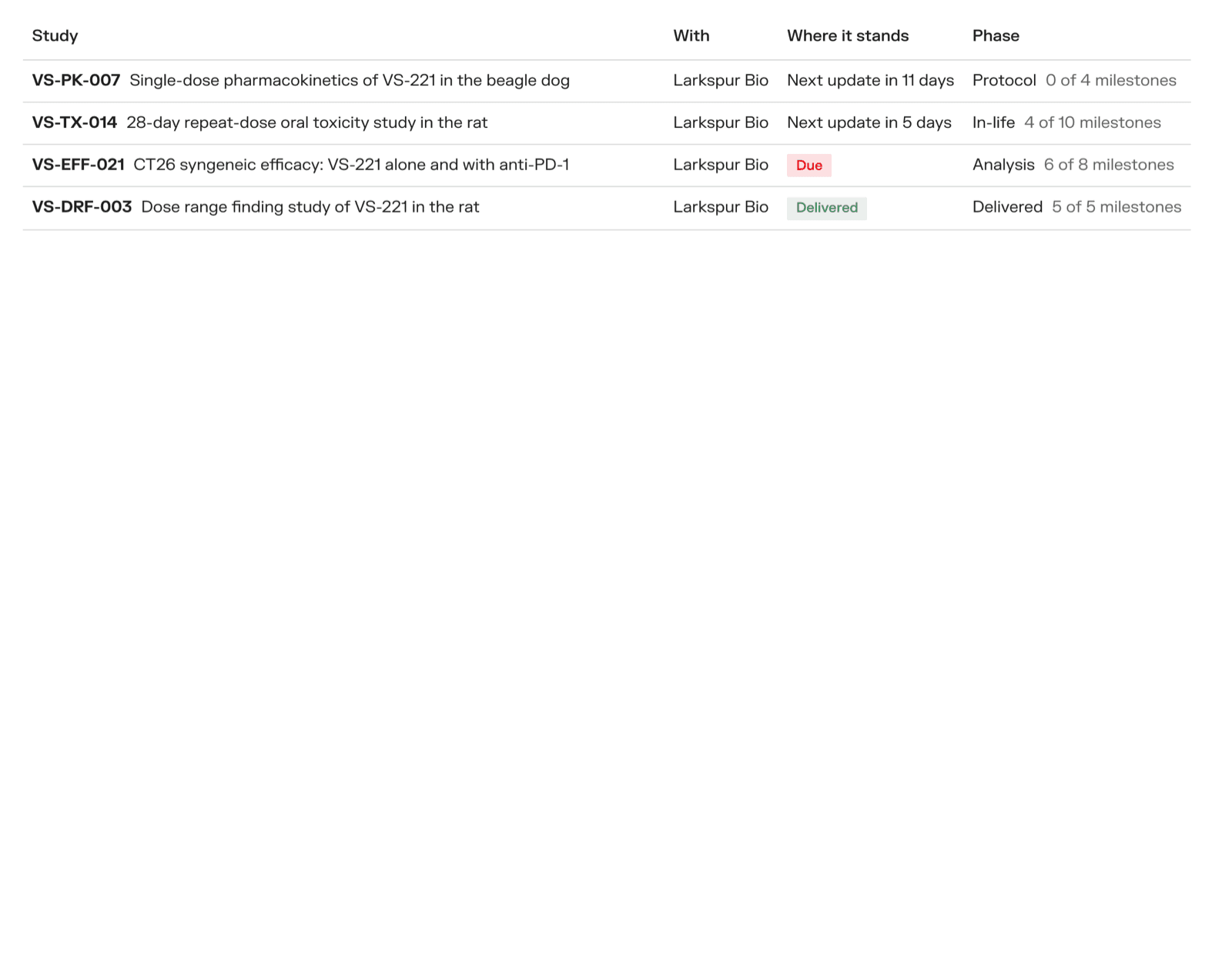
Each study shows who it is with, its phase, how many milestones are done, and where it stands:
| Standing | Meaning |
|---|---|
| Needs your input | The CRO asked the sponsor a question in an update |
| Update overdue / Due | The agreed update has not come in time |
| Next update in … | All on schedule |
| No update cadence agreed | The contract does not say how often to update |
| Delivered | The study is finished |
The study page
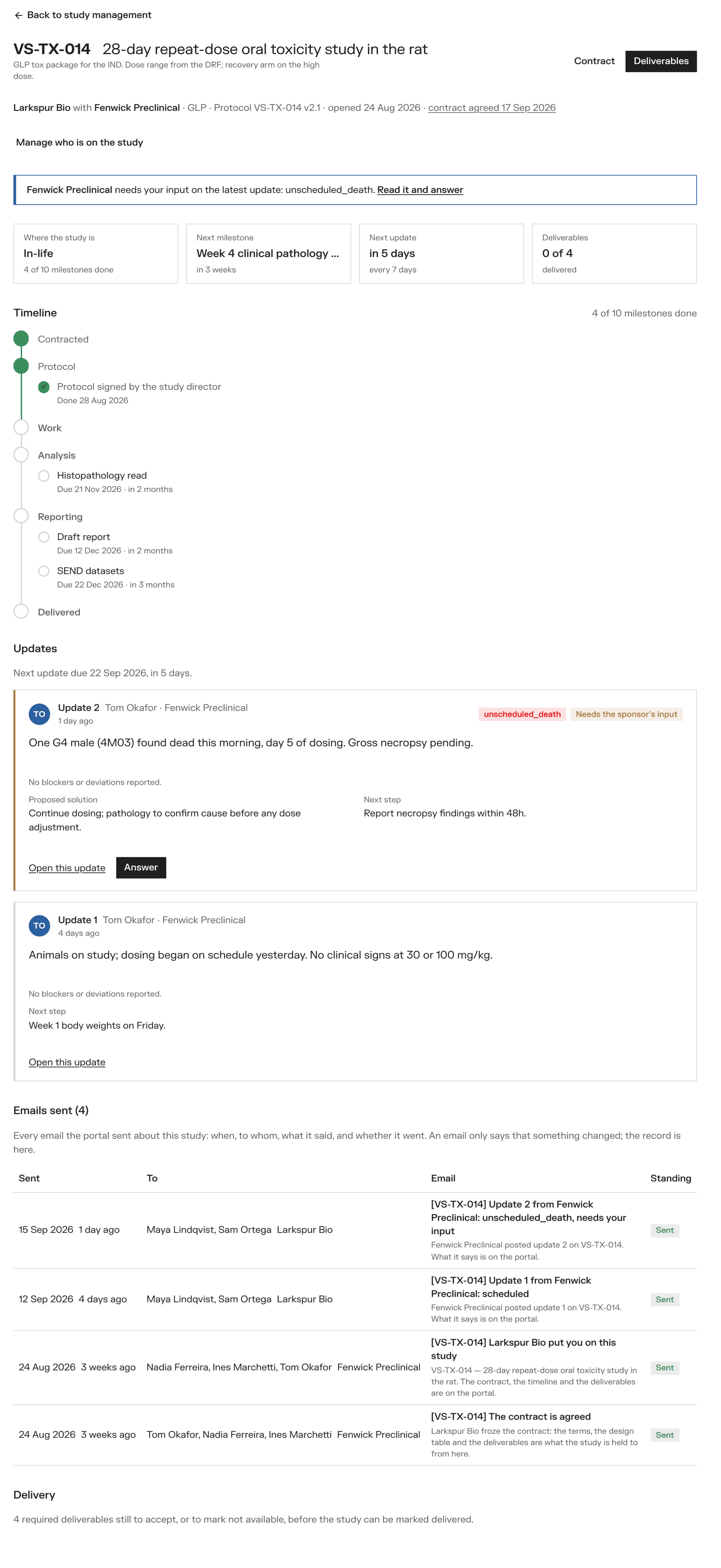
At the top: the study's code and title, and buttons for Brief, Contract and Deliverables. Under the title, one line says who it is between, whether it is GLP, the protocol, and whether the contract is agreed.
Banners tell you when something is waiting on you:
- Sponsor — the CRO needs your input on an update, or files are waiting to be accepted
- CRO — an update is due, or a milestone is overdue
Four cards show where the study is, the next milestone, the next update, and how many deliverables are in. Below them: the Timeline, the Updates, every Email sent about the study, and Delivery.
A sponsor's owner can also Manage who is on the study — add or remove a CRO. A CRO taken off loses access; what it did stays on the record.
Timeline and milestones
The timeline runs through the phases of the study. The phases follow the family: a toxicology study goes Contracted → Protocol → Animals on site → In-life → Necropsy → Analysis → Reporting → Delivered; a bioanalytical method goes through development, validation and sample analysis.
Milestones sit under their phase with a due date, and turn red when overdue. The CRO keeps them: Add a milestone, and Mark done when it is.
Posting an update (CRO)
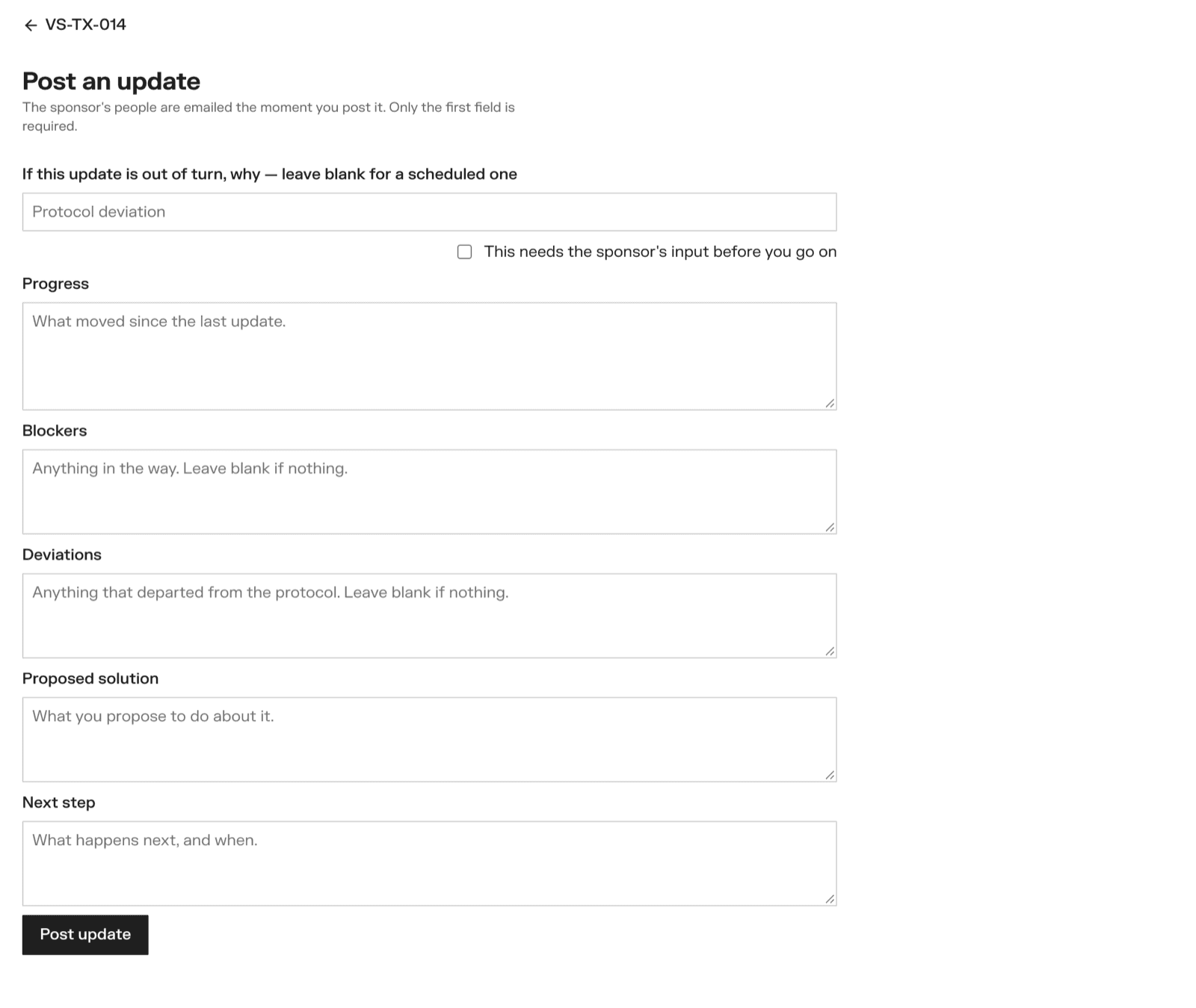
Click Post an update on the study. Only Progress is required.
- If this update is out of turn, why — leave it blank for a scheduled update. Otherwise pick or type the reason: an unscheduled death, a dose excursion, an out-of-specification result…
- This needs the sponsor's input before you go on — tick it to ask the sponsor to decide something
- Progress, Blockers, Deviations, Proposed solution, Next step
Post update. The sponsor's people are emailed at once. The subject says the reason and whether input is needed, so a death is never lost among weekly reports.
If the contract says an update every N days, the study shows when the next one is due, and the CRO is reminded by email once each time one is missed.
Answering an update (sponsor)
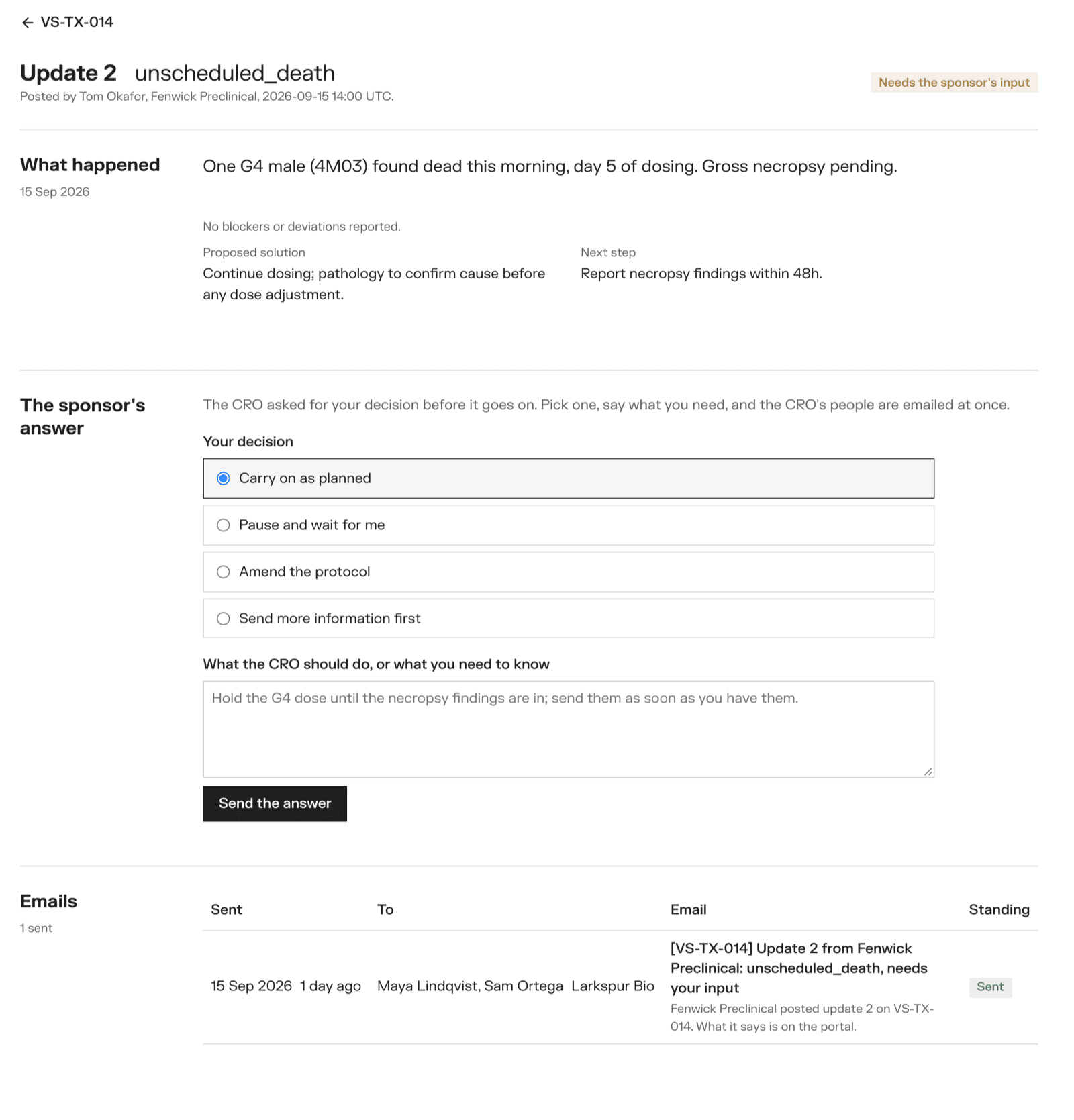
An update that needs your input is marked on the study and in your study list. Open it, choose Your decision:
- Carry on as planned
- Pause and wait for me
- Amend the protocol
- Send more information first
Write what the CRO should do, and Send the answer. Each update is answered once. The CRO is emailed.
Marking a study delivered
When the work is done, a sponsor's owner clicks Mark delivered under Delivery.
It is only possible once every required deliverable is Accepted, Not available or Proprietary. Until then, the page says how many are left. See The contract and deliverables.
Confidentiality agreements
How a sponsor and a CRO agree on confidentiality before the brief opens: the portal's standard NDA, the sponsor's own, or one signed outside the portal.
The contract and deliverables
What the sponsor writes down before the study, how the CRO registers animals against it, and how files are uploaded, checked, accepted or sent back.