

Answering a request
For CROs: read the board, say you can run a study, accept the sponsor's agreement, ask questions, and send a proposal.
Sponsors post requests for proposals. As a CRO you find them on Requests.
The board
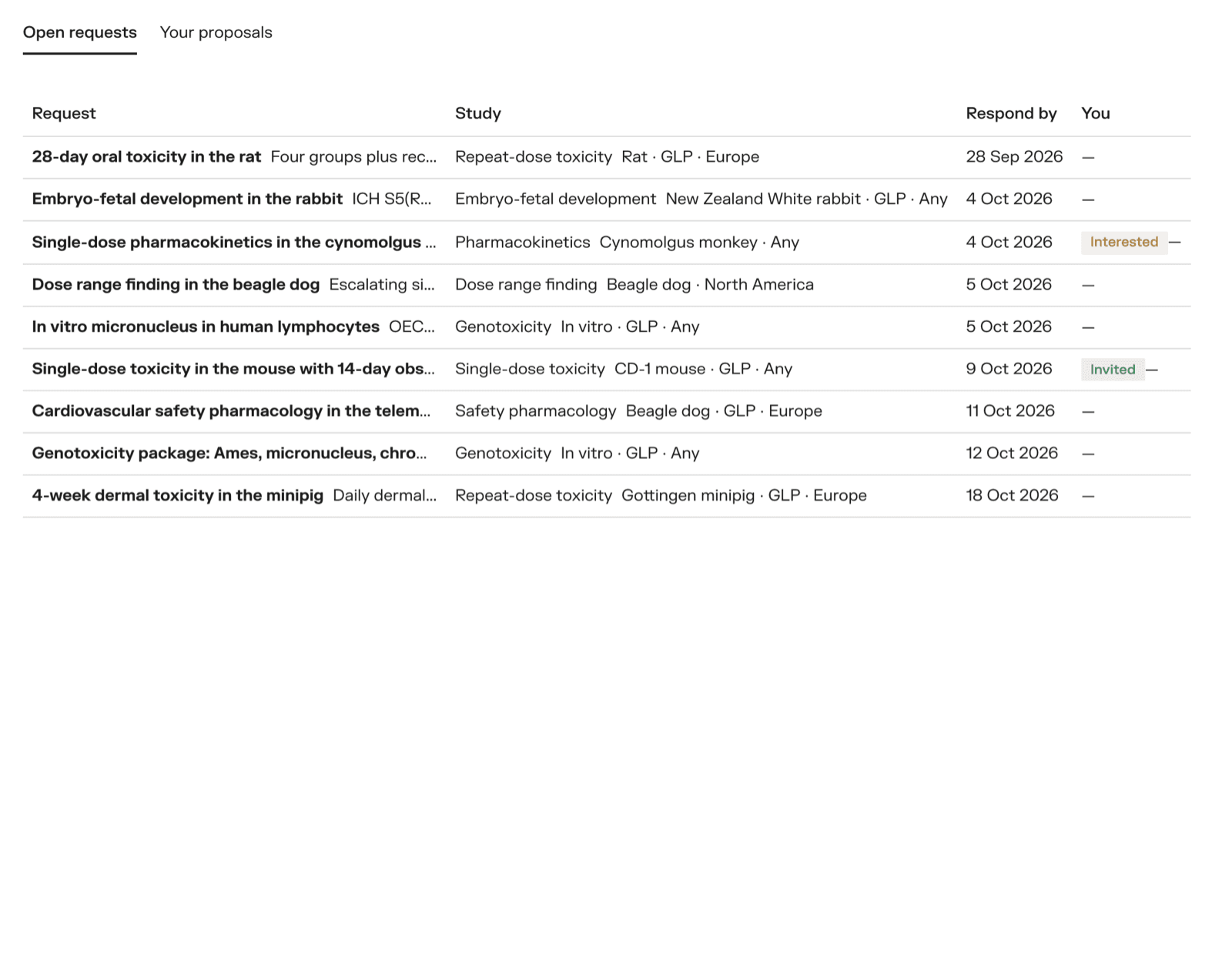
Open requests lists the requests you can answer: the ones on the board, and the ones a sponsor sent to you directly. Each row shows the study, what decides it in the sponsor's words, and the date proposals are due. A badge says if you are already Interested or Invited.
Your proposals lists everything you have sent, with your price and where it stands: Sent, Awarded or Not selected.
Say you can run it
Open a request. Until the sponsor invites you, you see the summary only, and the sponsor shows as A sponsor on the portal.
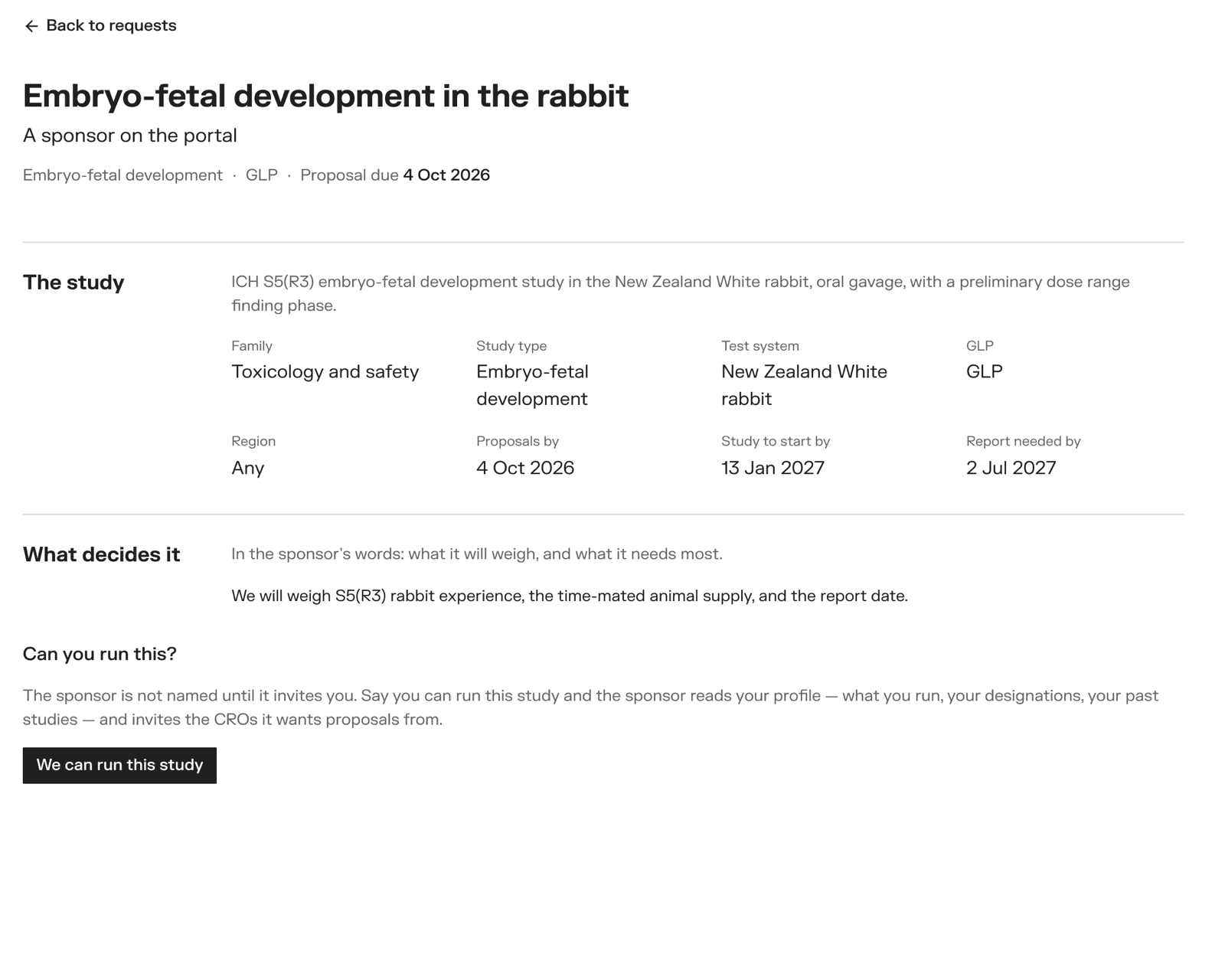
If you can run the study, click We can run this study. You go on the sponsor's shortlist with your profile, and the sponsor is emailed.
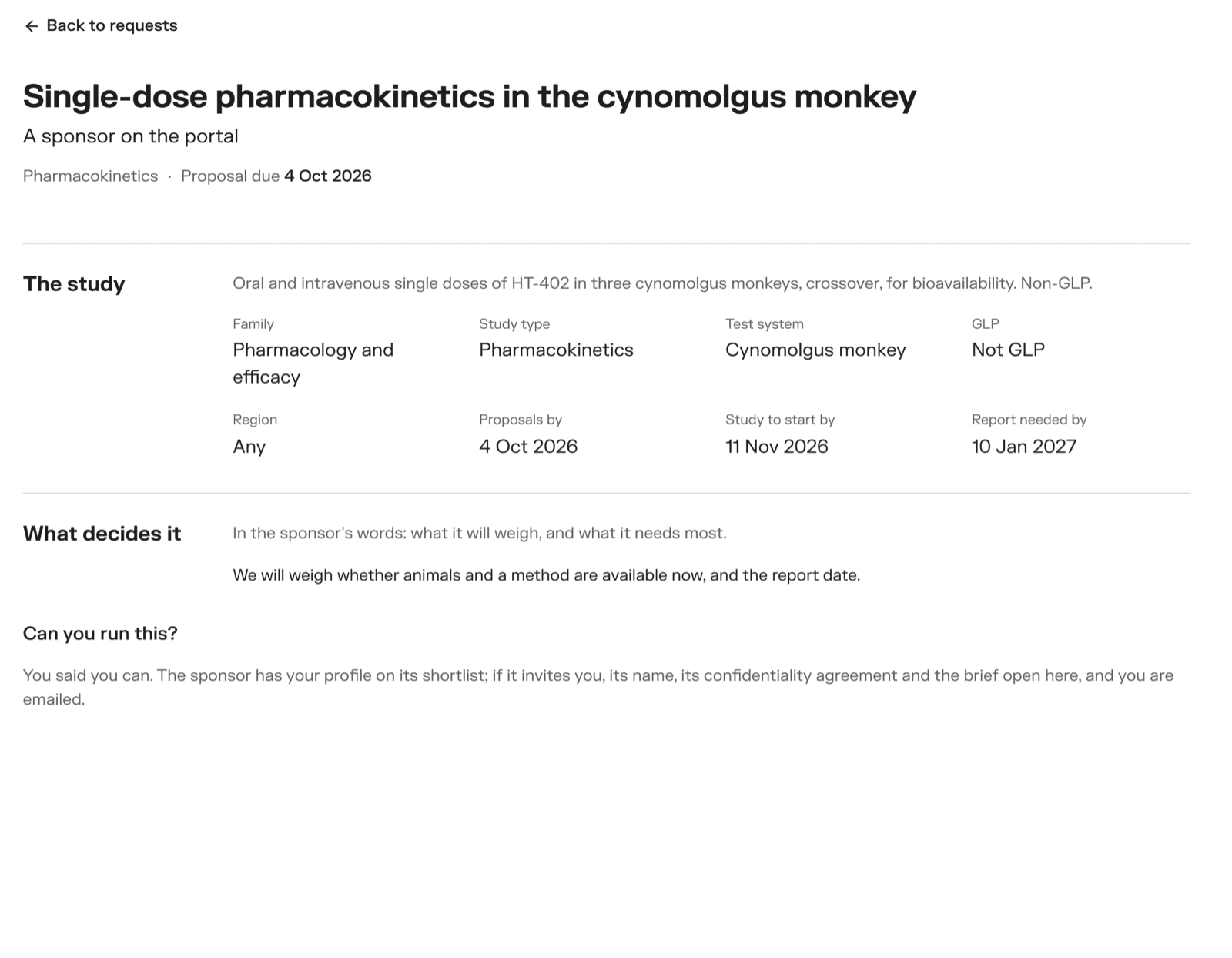
Make sure your profile says what you run — it is what the sponsor reads to decide whether to invite you.
Your organisation is being reviewed
If you see this instead of the button, VSQRD has not approved your organisation yet. Until then you cannot answer requests or read a brief. It usually takes a day.
Once you are invited
You are emailed <Sponsor> invited you to bid. The request now shows the sponsor's name.
The first time a sponsor invites you, there is a confidentiality agreement to accept before the brief opens.
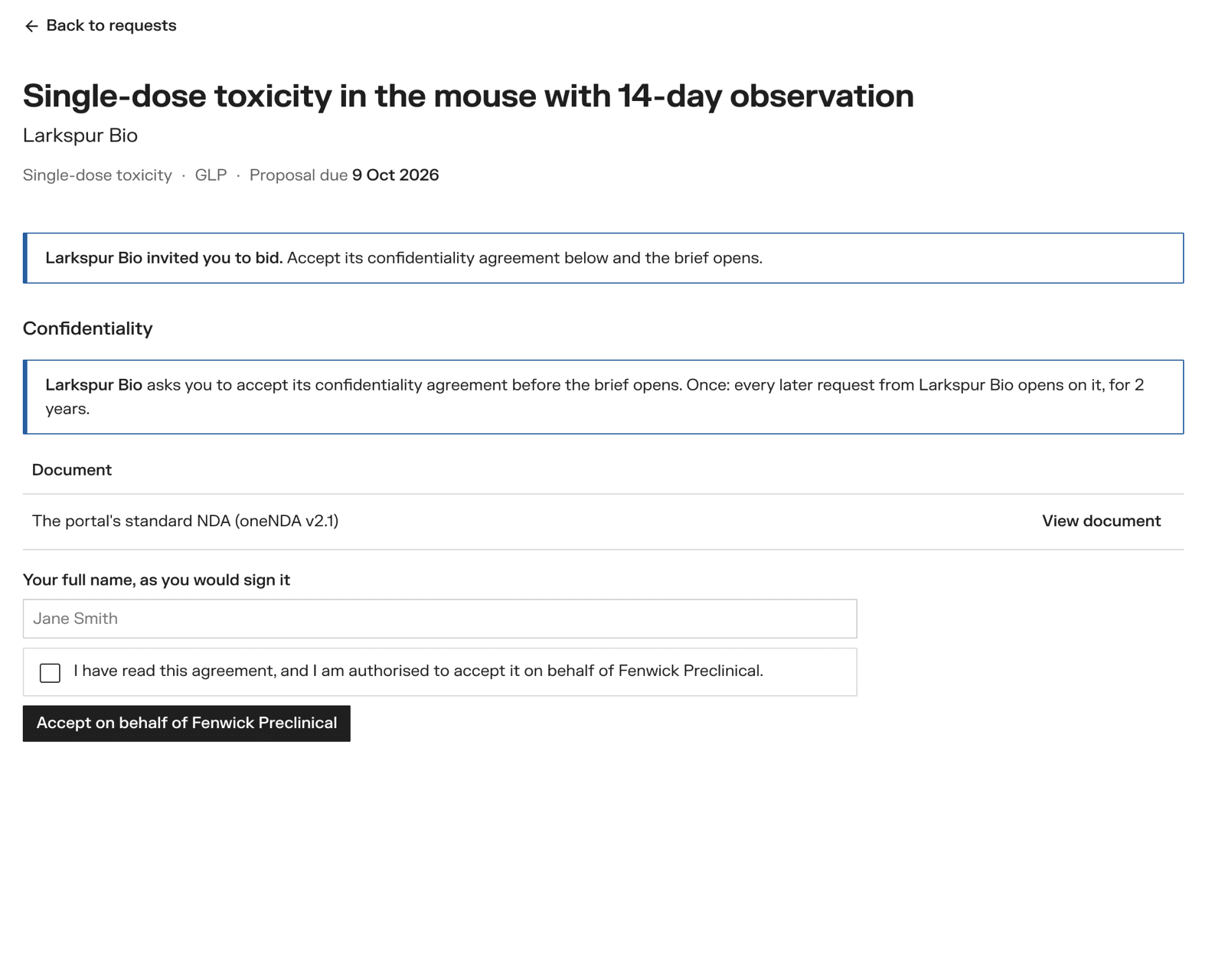
Read it with View document. An owner of your organisation types their full name, ticks the box, and clicks Accept on behalf of your organisation. Members see the agreement but ask an owner to accept.
You accept once per sponsor. Every later request from the same sponsor opens straight away, for two years. Some sponsors sign their agreements outside the portal instead — see Confidentiality agreements.
Read the brief
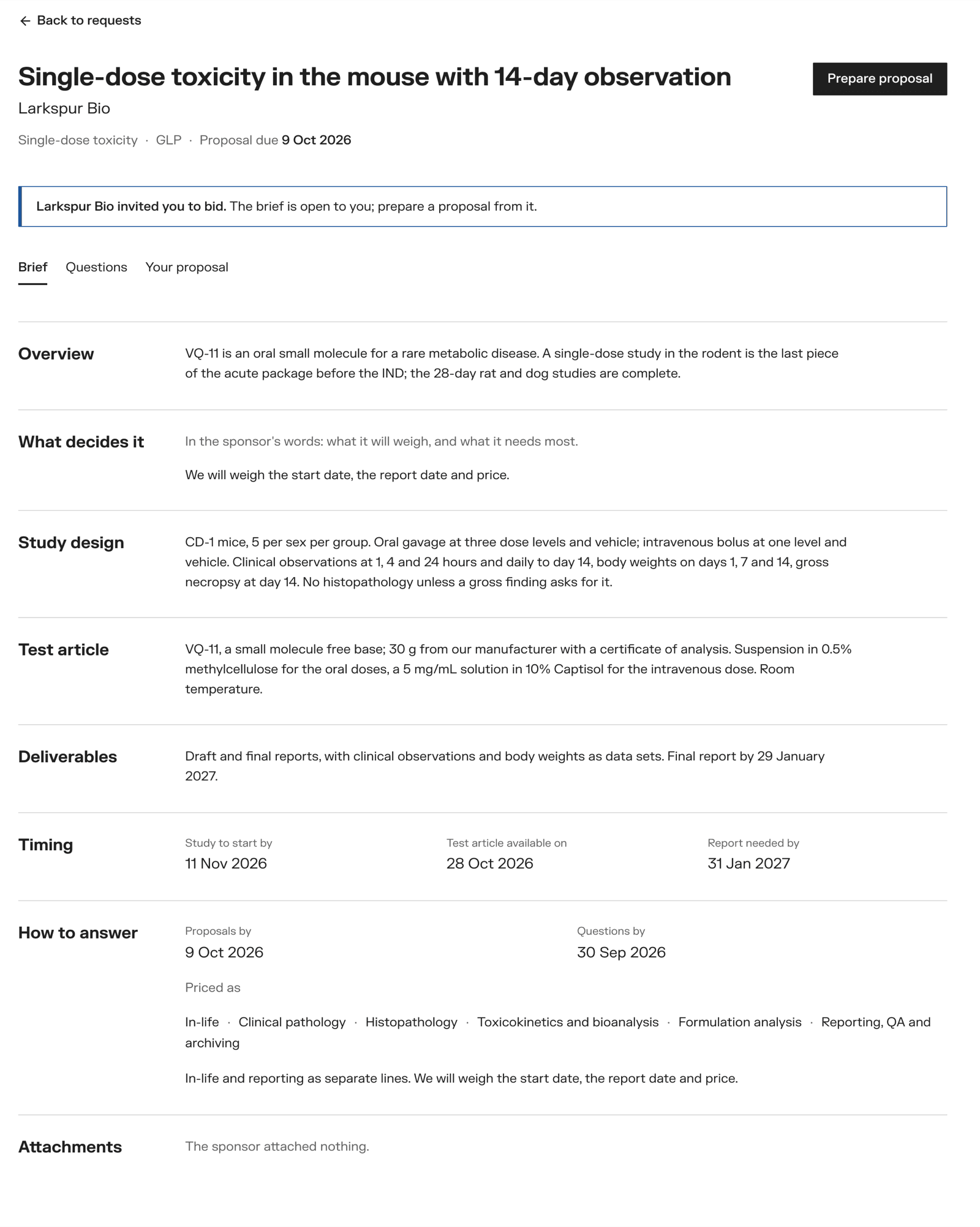
The brief has the tabs Brief, Questions and Your proposal.
Ask a question
On Questions, type your question and click Ask. The sponsor is emailed, without your name in the mail. Until it is answered, it shows as Waiting for the sponsor and only you and the sponsor see it.
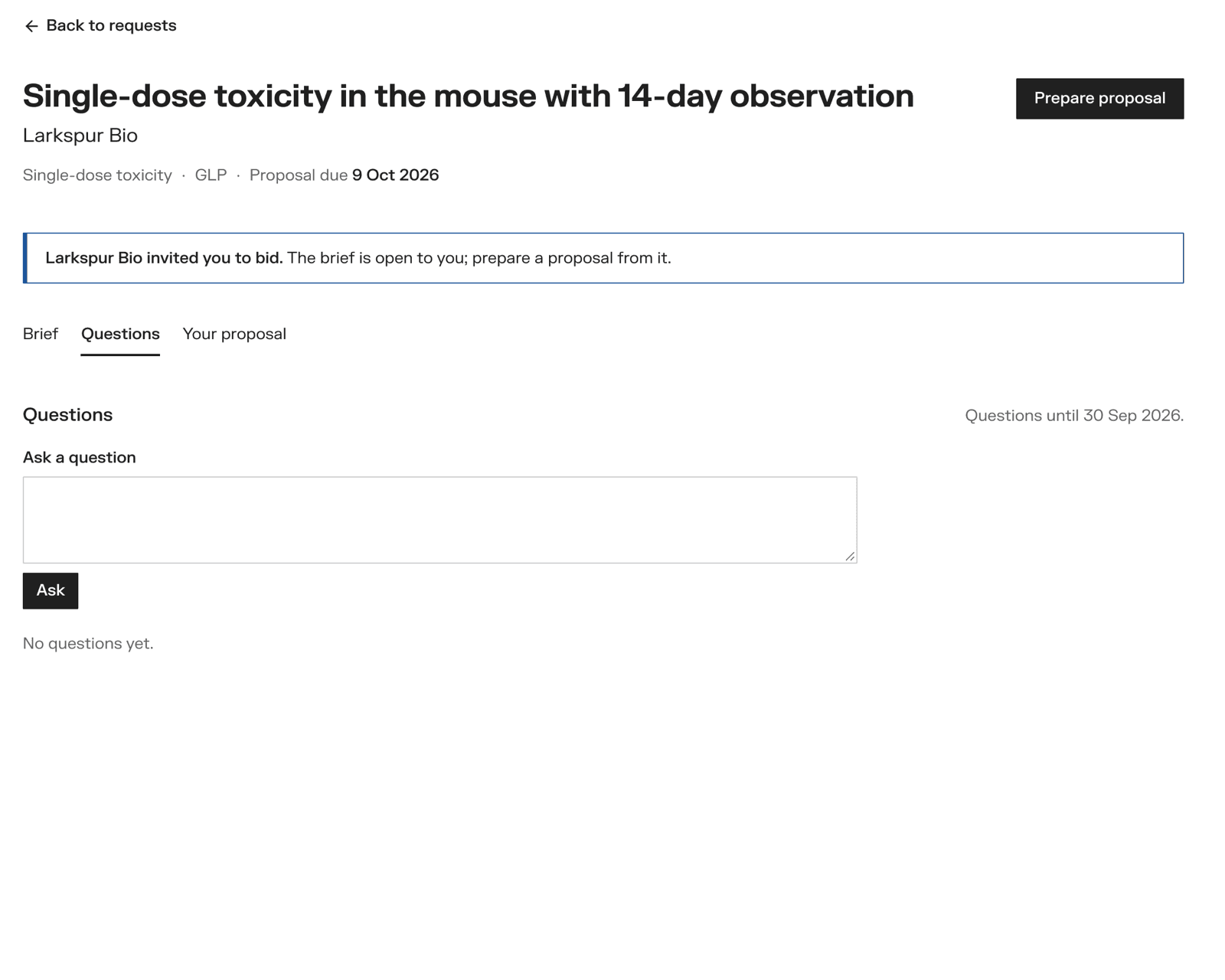
When the sponsor answers, every invited CRO reads the answer — never who asked. You can ask until the questions-by date, or until the request is awarded.
Write your proposal
Click Prepare proposal. Everything saves as you type, so you can come back to it with Continue your proposal.
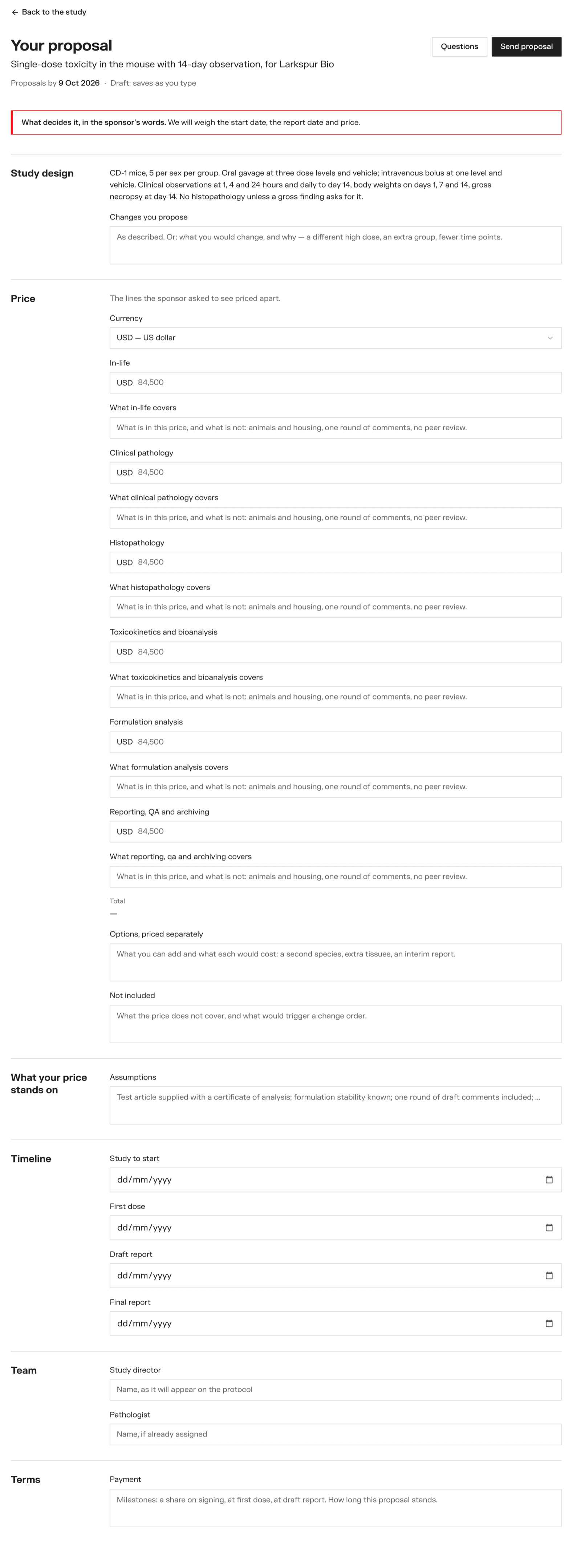
- Study design — the brief, and any changes you propose
- Price — the currency, an amount for each price line the sponsor named, and a line on what each covers. The total adds up as you type. Add options, priced separately and what is not included.
- What your price stands on — your assumptions
- Timeline — study start, first dose (or first run, or work starts — the word follows the kind of study), draft report, final report
- Team — study director and pathologist
- Terms — payment terms
Above the editor you see the sponsor's what decides it, and any answer that changed the brief.
An owner clicks Send proposal. It needs a price, what each priced line covers, and a study director. Once sent, it cannot be changed. Proposals close on the proposals-by date, or when the request is awarded.
The outcome
- Awarded — the study opens under Study management, with your proposal's dates as its first milestones. See Running a study.
- Not selected — you are emailed, with the sponsor's reason.
Placing a study directly
For sponsors who already have their CRO: draft the study, name the CRO, and start it — no request for proposals.
Confidentiality agreements
How a sponsor and a CRO agree on confidentiality before the brief opens: the portal's standard NDA, the sponsor's own, or one signed outside the portal.